
4.2 KiB
source_url, ingested, sha256, discovered_from
| source_url | ingested | sha256 | discovered_from | ||||||||||||||
|---|---|---|---|---|---|---|---|---|---|---|---|---|---|---|---|---|---|
| https://www.bleepingcomputer.com/news/security/fake-perplexity-extension-on-chrome-web-store-tracked-searches/ | 2026-06-30 | d283777e92b1d88bd2b95c46c59c72531bb4374237cfaf3b317f6b9730b0cc23 |
|

A malicious extension in the Chrome Web Store is masquerading as the Perplexity AI answer engine, intercepting search traffic and collecting browsing information.
Called "Search for perplexity ai," the extension routed search queries and real-time suggestions through its infrastructure before redirecting users to the legitimate search services.
Microsoft Threat Intelligence researchers said that the extension did not steal credentials or other sensitive information but its permissions would easily allow it if the operator decided to extend the scope of the data theft.

Fake Perplexity AI extension
Perplexity AI is a research assistant that searches the web and synthesizes the information in a direct, conversational response instead of showing a list of links for the user to access to find their answer.
Perplexity AI is available on the web, on mobile (Android and iOS), and as a desktop app, and its official Chrome extension is named “Perplexity – AI Search.”
The fake extension that Microsoft spotted uses similar branding and the domain “perplexity-ai[.]online,” instead of the legitimate perplexity.ai.
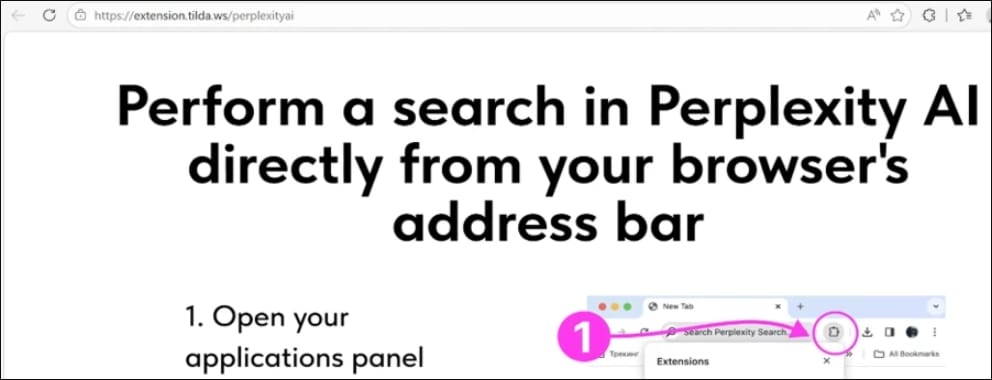
Post-installation onboarding page Source: Microsoft
Once installed, it changes the browser’s search settings to replace the default search provider and to pass all address-bar queries through the attacker’s infrastructure.
“The extension overrides browser search settings through chrome_settings_overrides to replace the browser default search provider as well as intercept and redirect all queries in a Chromium browser’s Omnibox to an intermediary infrastructure not associated with the official vendor domain,” explains Microsoft.
This level of data collection is not accidental, based on the logging code Microsoft found on the extension’s server, which indicates intentional design.
The extension also requests Chrome permissions that allow redirections, URL rewriting, and monitoring when rules execute.
“The extension requests powerful DNR permissions that enable traffic redirection, URL rewriting, and selective request filtering, which aren’t consistent with expected AI assistant behavior,” the researchers mention.
Even though Microsoft found no evidence that the extension targeted credentials, its confirmed data collection routines still allowed for extensive profiling, creating potential avenues for exploitation.
Those who installed the extension with the ID “flkebkiofojicogddingbdmcmkpbplcd” should remove it from their browser and rotate their critical account passwords out of an abundance of caution.

Test every layer before attackers do
Security teams log 54% of successful attacks and alert on just 14%. The rest move through your environment unseen.
The Picus whitepaper shows how breach and attack simulation tests your SIEM and EDR rules so threats stop slipping by detection.